Run agents
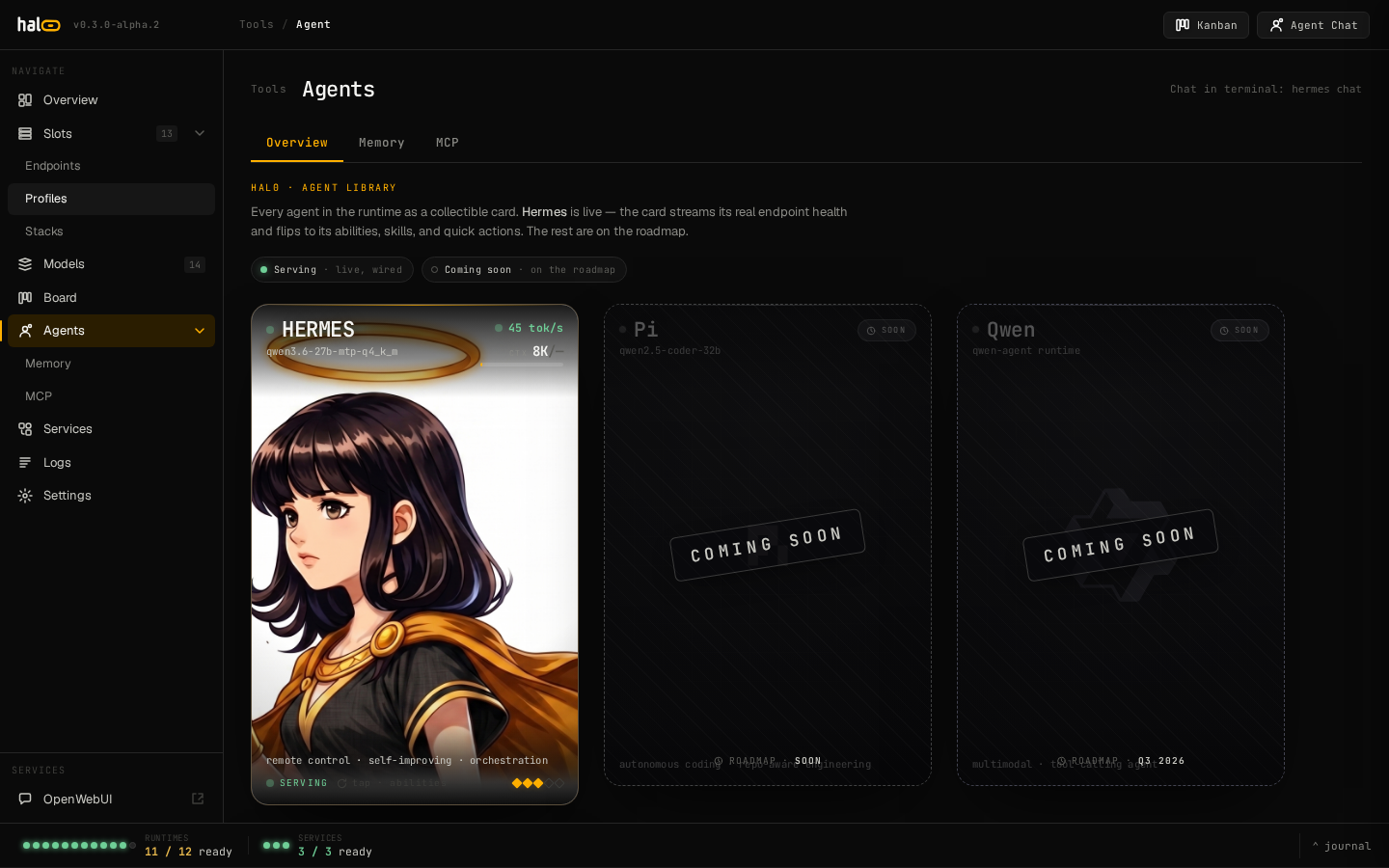
hal0 can run a bundled agent — Hermes — provisioned into a
hal0-managed virtualenv and driven through the hal0 agent CLI. The agent
gets a persona (system prompt + tool gating), an approvals queue for
gated/destructive actions, and an optional per-persona spending budget.
Install Hermes
Section titled “Install Hermes”sudo hal0 agent install hermesInstalling Hermes runs a three-step foreground pipeline: ensure the
toolchain (Python ≥3.11, venv stdlib, pip/pipx), provision the managed
venv and register the agent, then enable and start the systemd unit
(hal0-agent@hermes).
Run it as root — provisioning writes under root-owned /var/lib/hal0 and
then chowns the provisioned trees to the shared agent runtime user. As a
normal user it aborts cleanly up front with a sudo hint.
Pass --switch to atomically uninstall whatever agent is currently
installed before installing this one.
Manage the lifecycle
Section titled “Manage the lifecycle”hal0 agent list # installed bundled agentshal0 agent list --jsonhal0 agent status hermes # provisioning checkpoint, per phasehal0 agent peers # every published agent identity cardlist only shows agents installed on this host; peers searches the
memory store for every identity card any host has published (needs the
memory API reachable).
hal0 agent log hermeshal0 agent log hermes --phase provisionPer-phase provisioning logs — these are flat files under the agent’s state directory, not a systemd journal. See Logs and activity for how this differs from a slot’s runtime logs.
hal0 agent reprovision hermes # idempotent re-convergehal0 agent reprovision hermes --repair # force every phasehal0 agent upgrade hermes # bump the version pin + repairhal0 agent upgrade hermes --to 0.15.3 # pin a specific versionreprovision is a stable wrapper over the same state machine install
runs. For finer control — skipping a phase, staging the agent wheel
offline, or a dry run that doesn’t persist the checkpoint — drop to the
underlying command directly:
hal0 agent bootstrap hermes --dry-runhal0 agent bootstrap hermes --repair --verboseTo restart the running Hermes process without re-provisioning anything:
sudo systemctl restart hal0-agent@hermescurl -X POST http://localhost:8080/api/agents/hermes/restarthal0 agent uninstall hermeshal0 agent uninstall hermes --keep-memoryDefault uninstall tears down the agent’s private memory namespace too;
--keep-memory preserves it so a re-install reuses the identity card.
Personas
Section titled “Personas”A persona is a TOML file pairing a system prompt with tool gating:
hal0 agent personas list # list + mark the active onehal0 agent personas show <id> # print a persona's TOML (good template)hal0 agent personas activate <id> # switch active + nudge a hot-reloadActivating writes the active pointer atomically and best-effort nudges a
running Hermes to hot-reload; if Hermes isn’t running, the next restart
picks up the new active persona. To author your own, copy personas show
output, change the persona id, and save it under the persona store.
The approvals queue
Section titled “The approvals queue”Destructive or gated tool calls don’t execute immediately — they land in an approvals queue you review:
hal0 agent approvals list # pending requestshal0 agent approvals approve <id> # let it runhal0 agent approvals deny <id> # reject itEach pending row shows the request id, the tool, the requesting agent, when it was enqueued, and a one-line summary of the primary argument. The dashboard’s Agent → Approvals tab renders the same queue. See Connect MCP servers for the full list of gated admin tools.
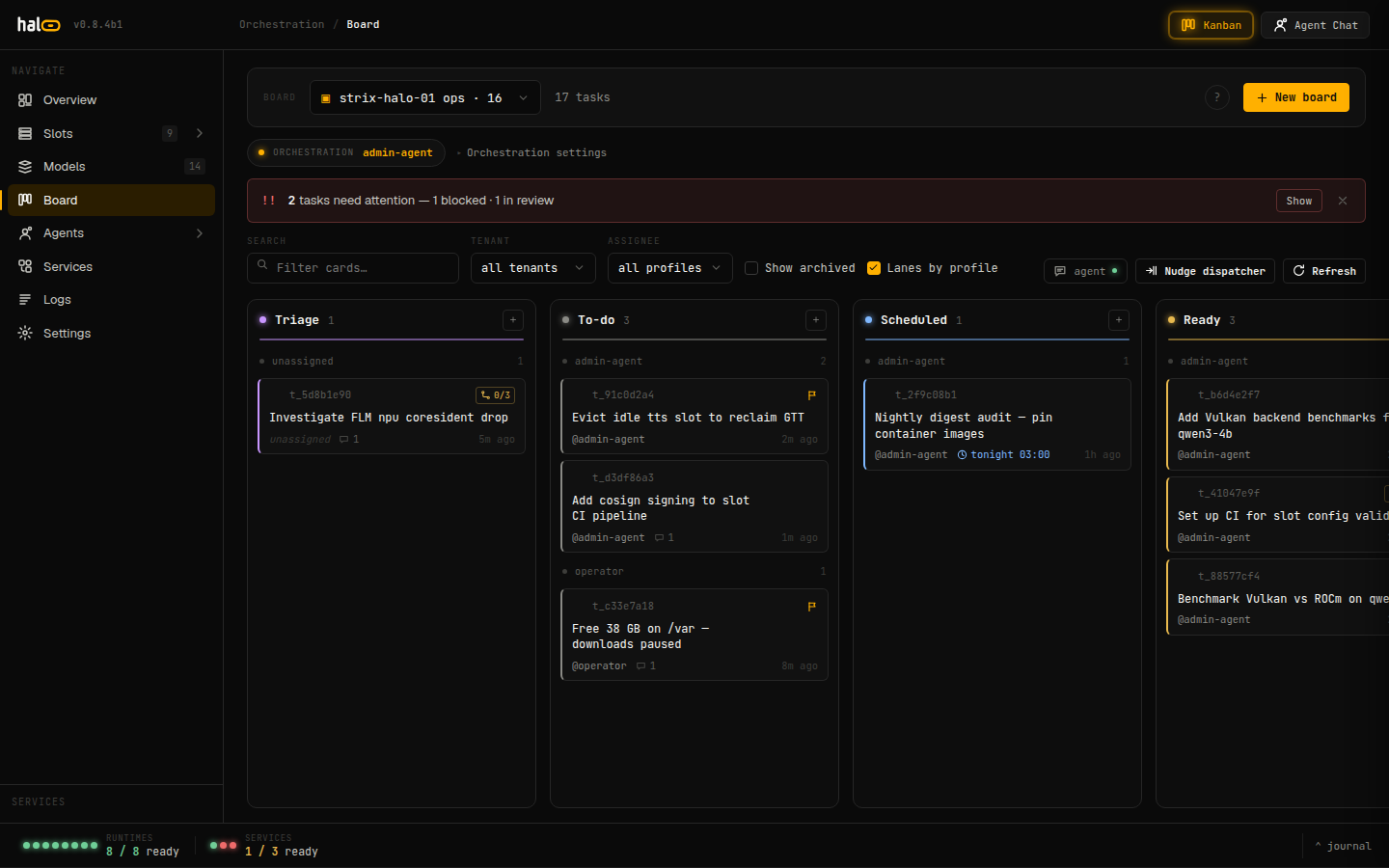 The Operator Board (dashboard ▸ Board) — Hermes agent tasks move across Triage → To-do → Scheduled → Ready lanes.
Spending budget
Section titled “Spending budget”Each persona can carry spending caps so an autonomous loop can’t drain a
paid provider pool. Caps live in the persona’s [persona.budget]
sub-table:
[persona.budget]daily_usd = 5.0monthly_usd = 50.0lifetime_usd = 200.0per_call_max_usd = 0.50hard_cap = trueEvery cap is optional — omit one to leave that window uncapped, or set it
to 0.0 to block every paid request. hard_cap = true (the default)
denies requests that would overshoot; hard_cap = false lets them
through but still reports the breach.
curl http://localhost:8080/api/agents/hermes/personas/hermes/budgetThe same route accepts a PUT with a {"daily_usd": ..., ...} body to
change the caps without hand-editing the persona TOML.
Chatting directly
Section titled “Chatting directly”Outside of Hermes’s own agent loop, hal0 chat is a terminal REPL over
the local /v1/chat/completions endpoint, defaulting to the agent
model alias. It supports /think on|off|default as an in-REPL command
and --no-stream for non-streaming output.
Audit trail
Section titled “Audit trail”Every gated tool invocation is journaled. Pull an agent’s recent MCP activity:
curl 'http://localhost:8080/api/agents/hermes/activity?limit=50'Each row carries tool, args, gated, outcome, timestamp, and the
client_id the action was attributed to.
Related
Section titled “Related”- Enable memory — the recall store agents read and write.
- Connect MCP servers — the admin tool tiers and the approvals flow.
- Connect external providers — wire the paid upstream a budget caps spend against.